The Charts page is accessible from leaderboard pages and offers a space for league-wide analysis of teams and players.
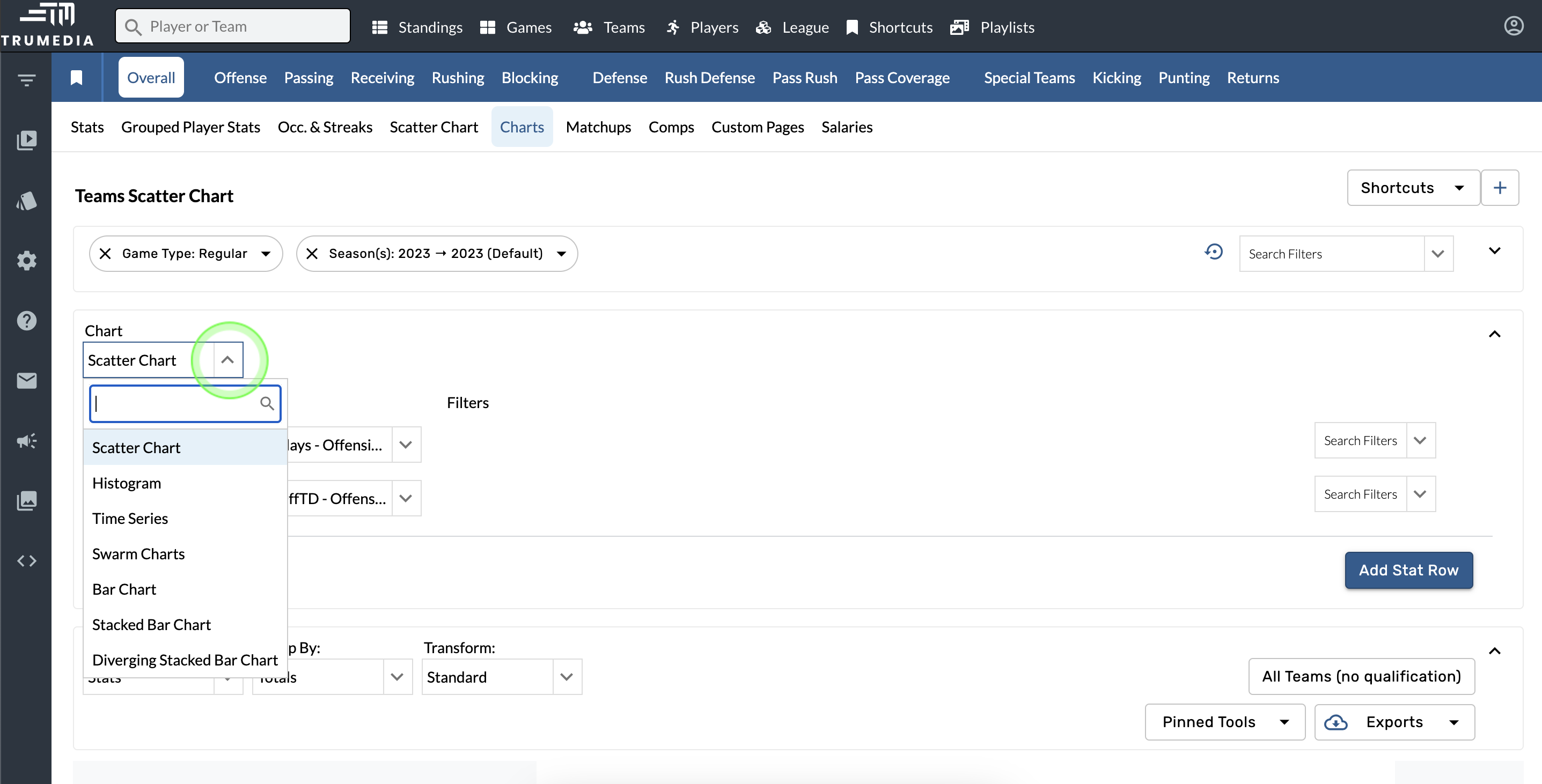
There are seven charts available: Scatter Chart, Histogram, Time Series, Swarm Charts, Bar Chart, Stacked Bar Chart, and Diverging Bar Chart.
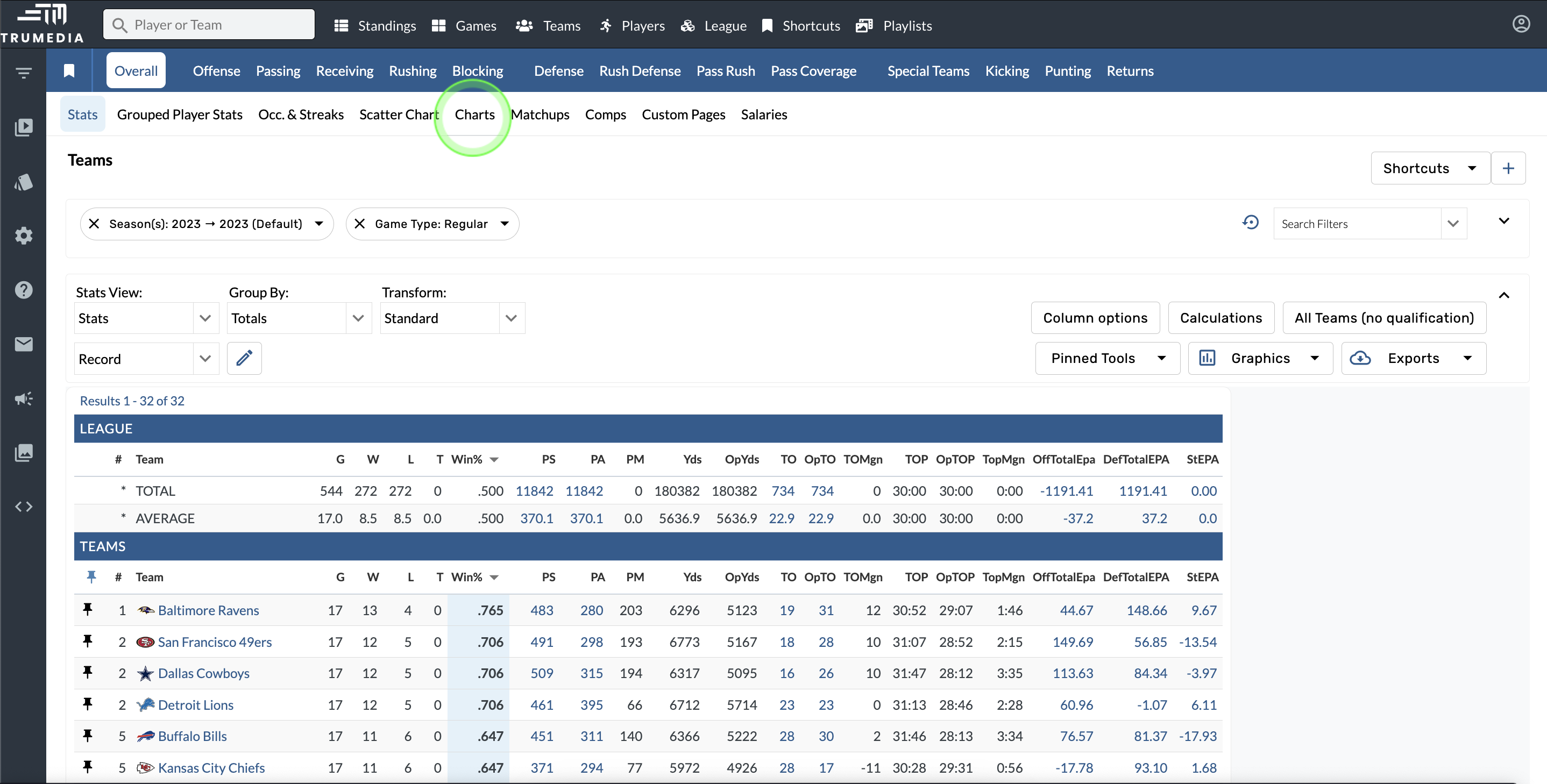
Open the Charts page
-
Go to a team or player leaderboard page.
-
Select the Charts option in the white navigation bar.
Select a chart type
-
Open the Chart menu.
-
Select a chart type.
Select stats
-
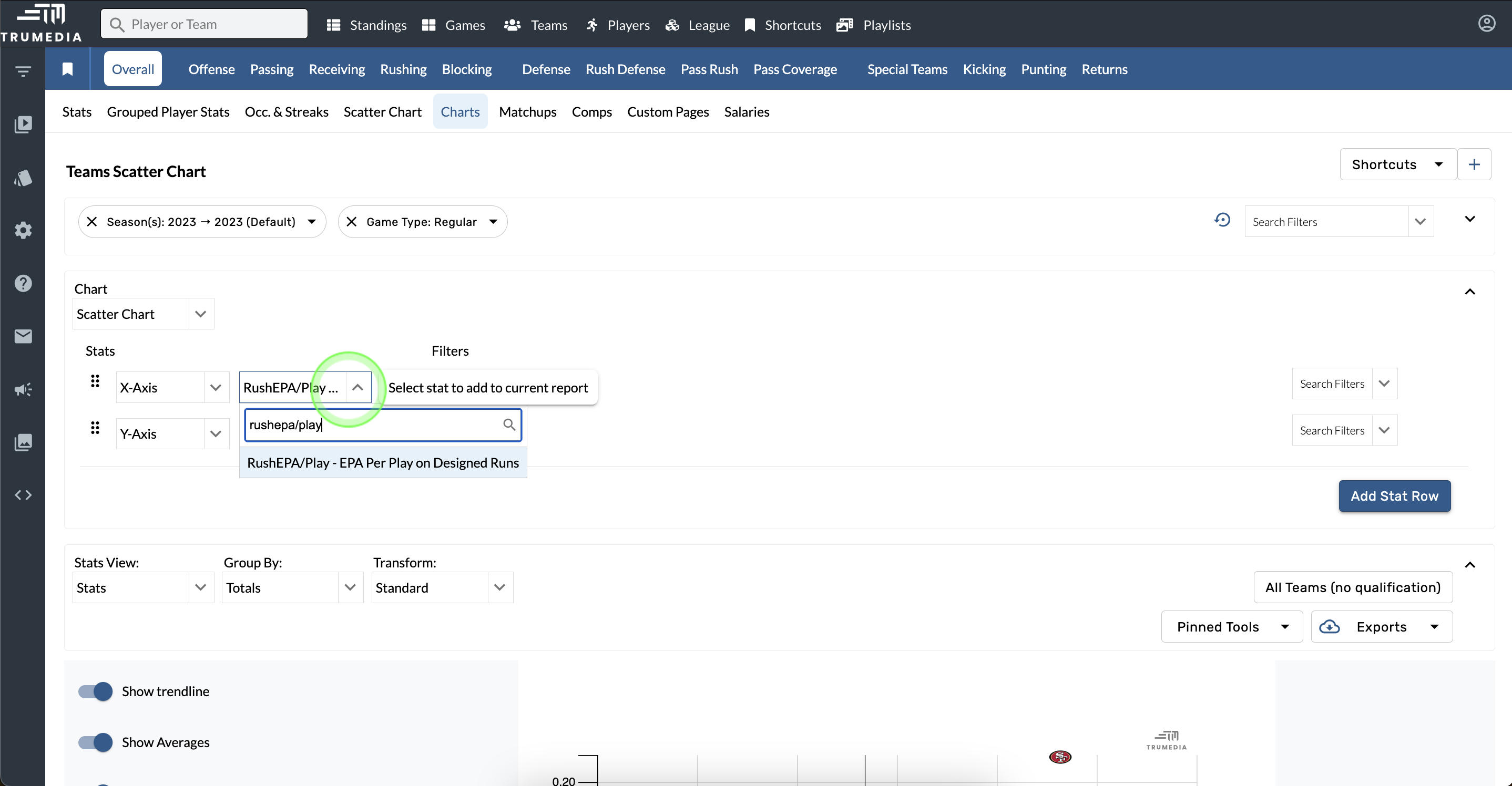
Open the Select Stat menu.
-
Choose a stat for the chart.
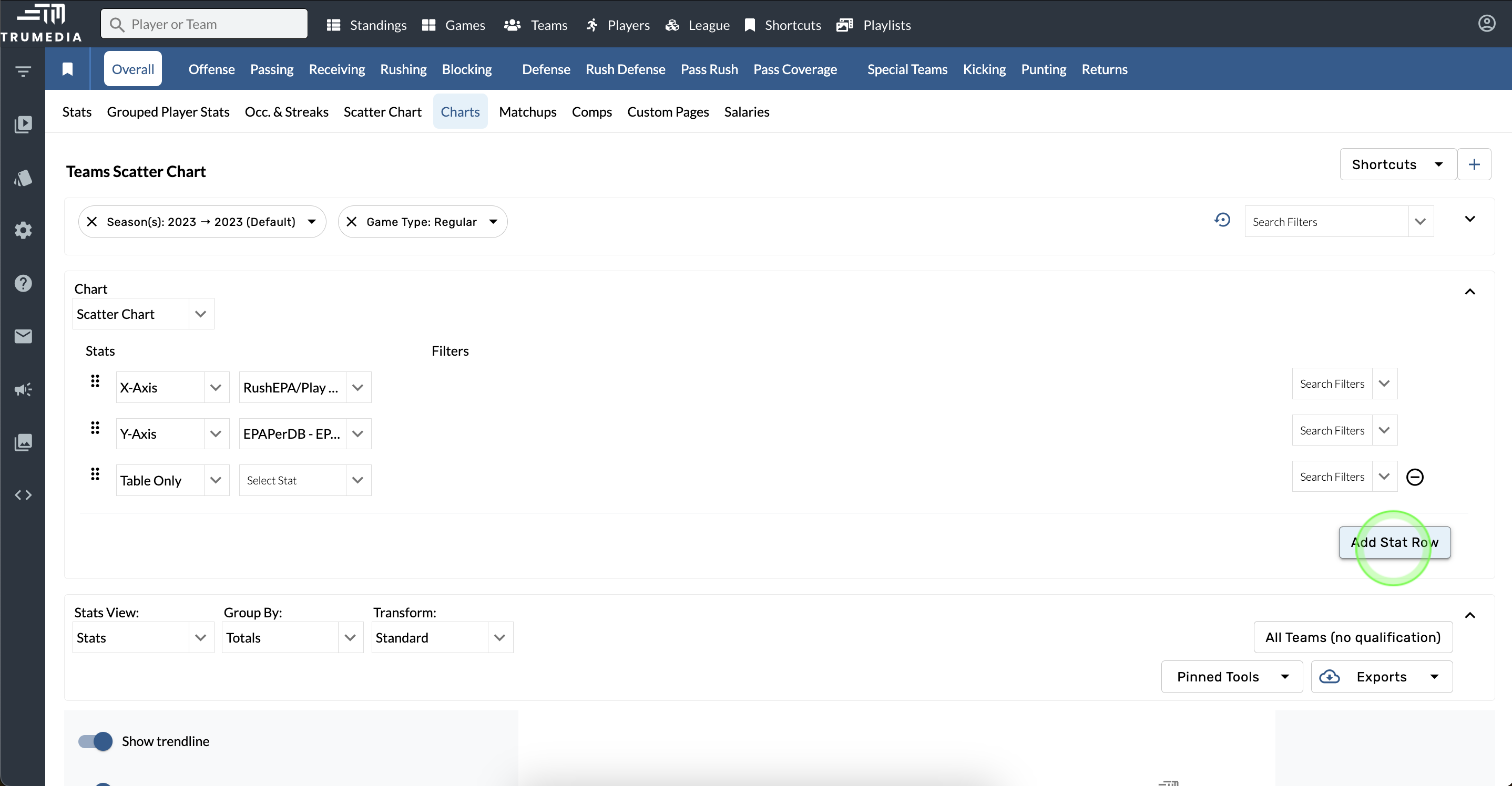
Add stat row
-
Tap the Add Stat Row option.
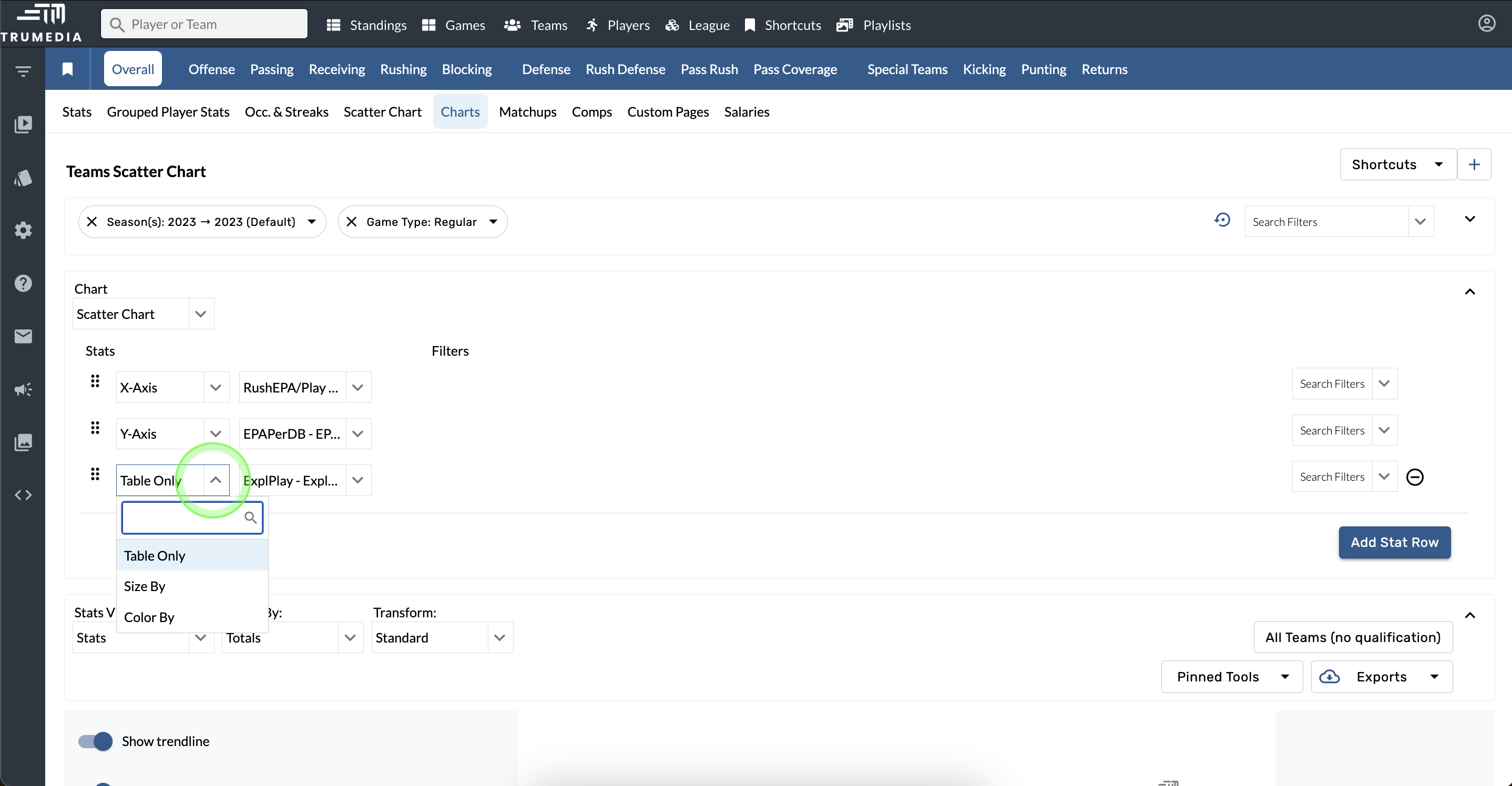
Choose stat settings
-
Open the Stat Settings menu.
-
Choose an option.
Add stat filters
Filters are available to apply to each individual stat on the chart.
-
Open the Search Filters menu.
-
Select a filter.
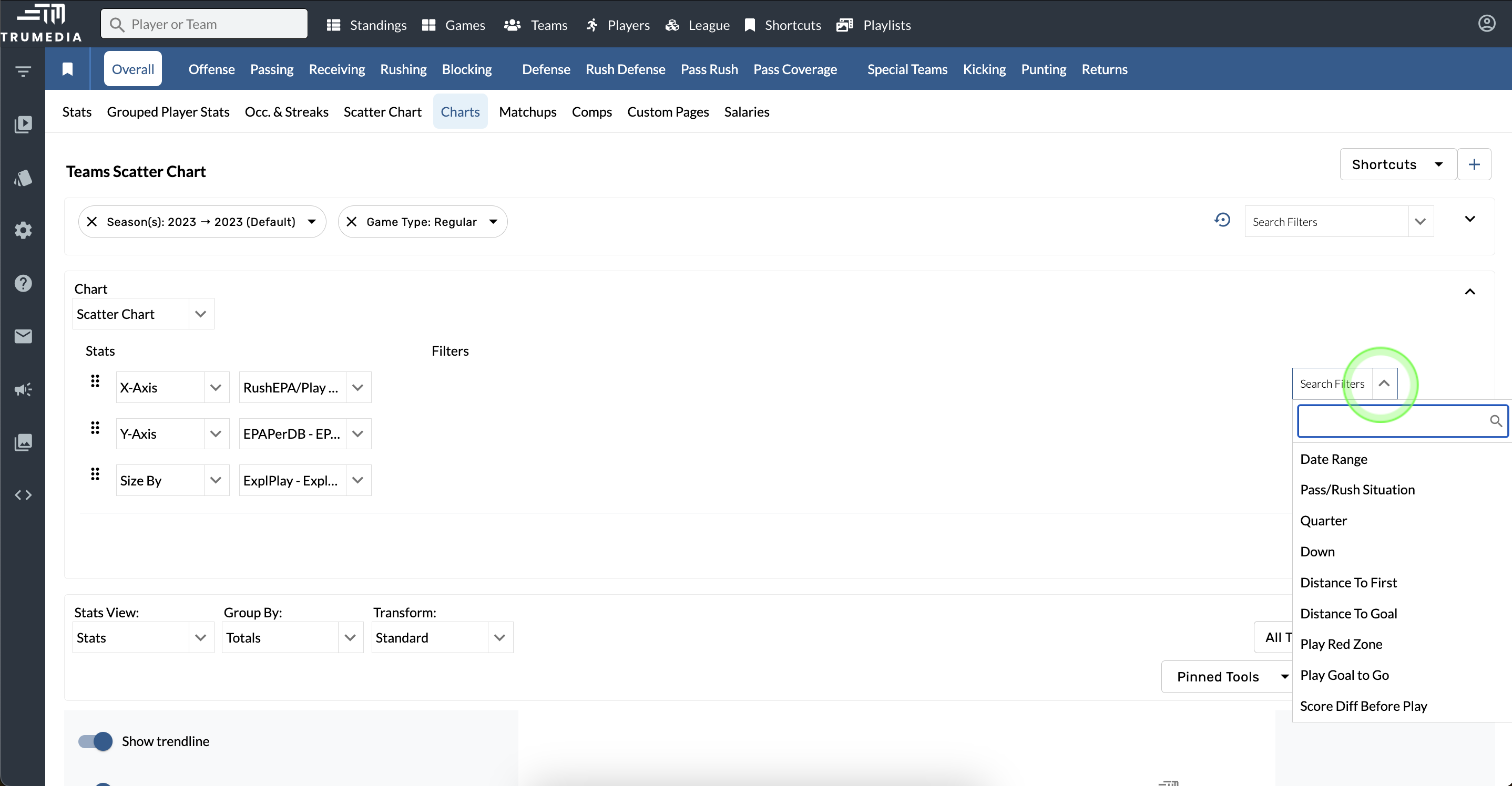
Chart Settings
Chart settings are available to the left of the chart and each chart type has unique settings in addition to the common settings like title and aspect ratio.
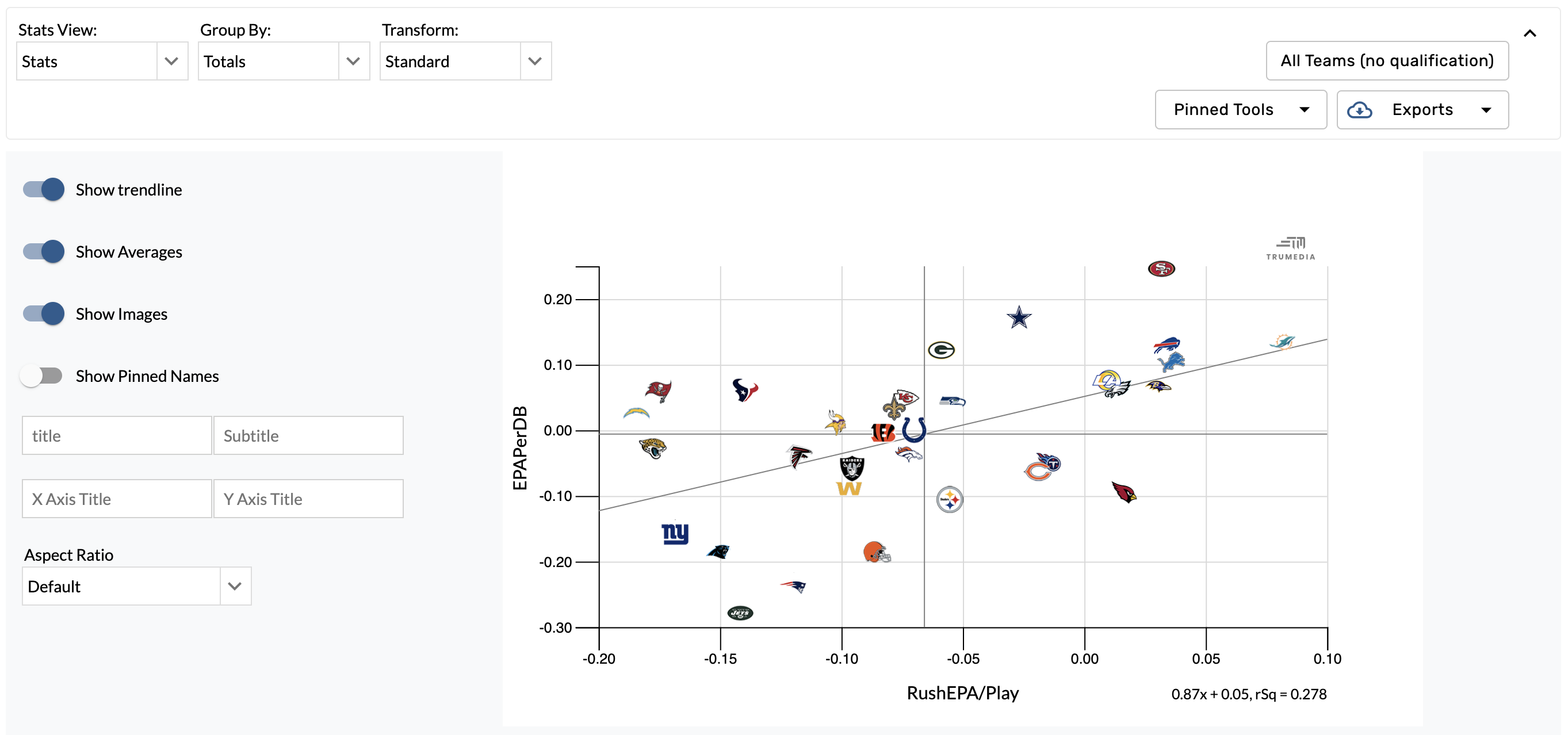
Scatter Chart
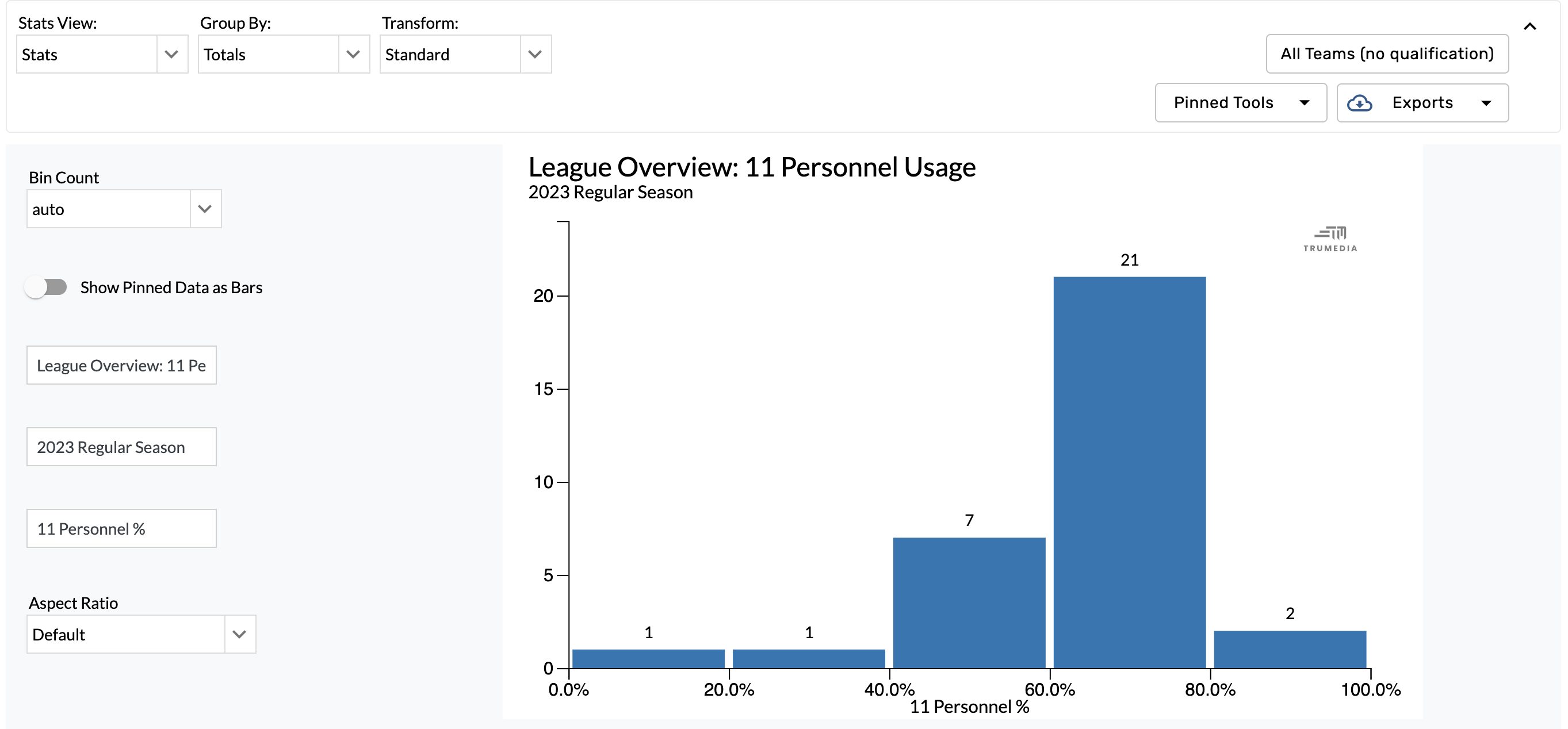
Histogram
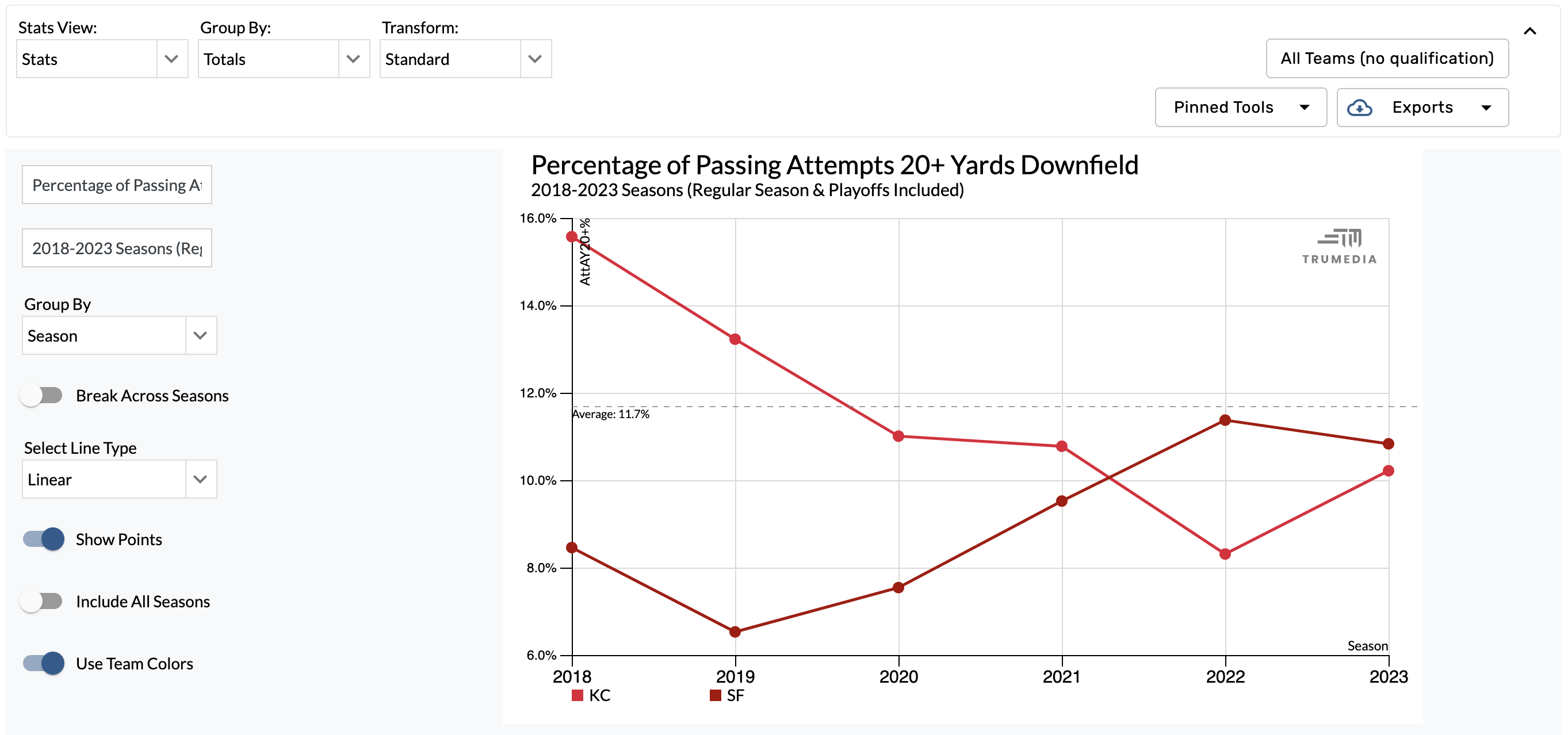
Time Series Chart
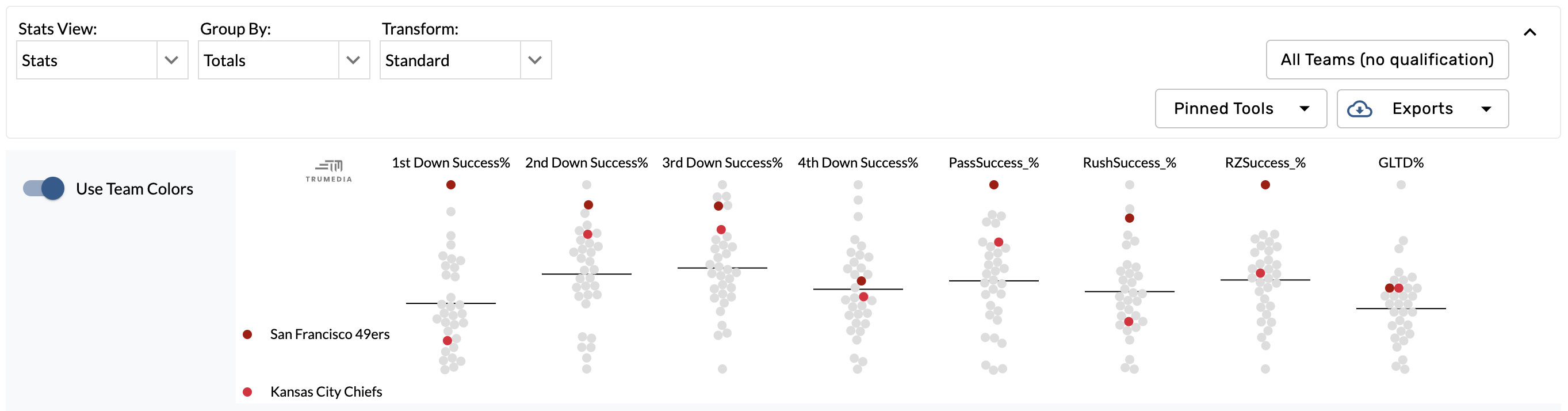
Swarm Chart
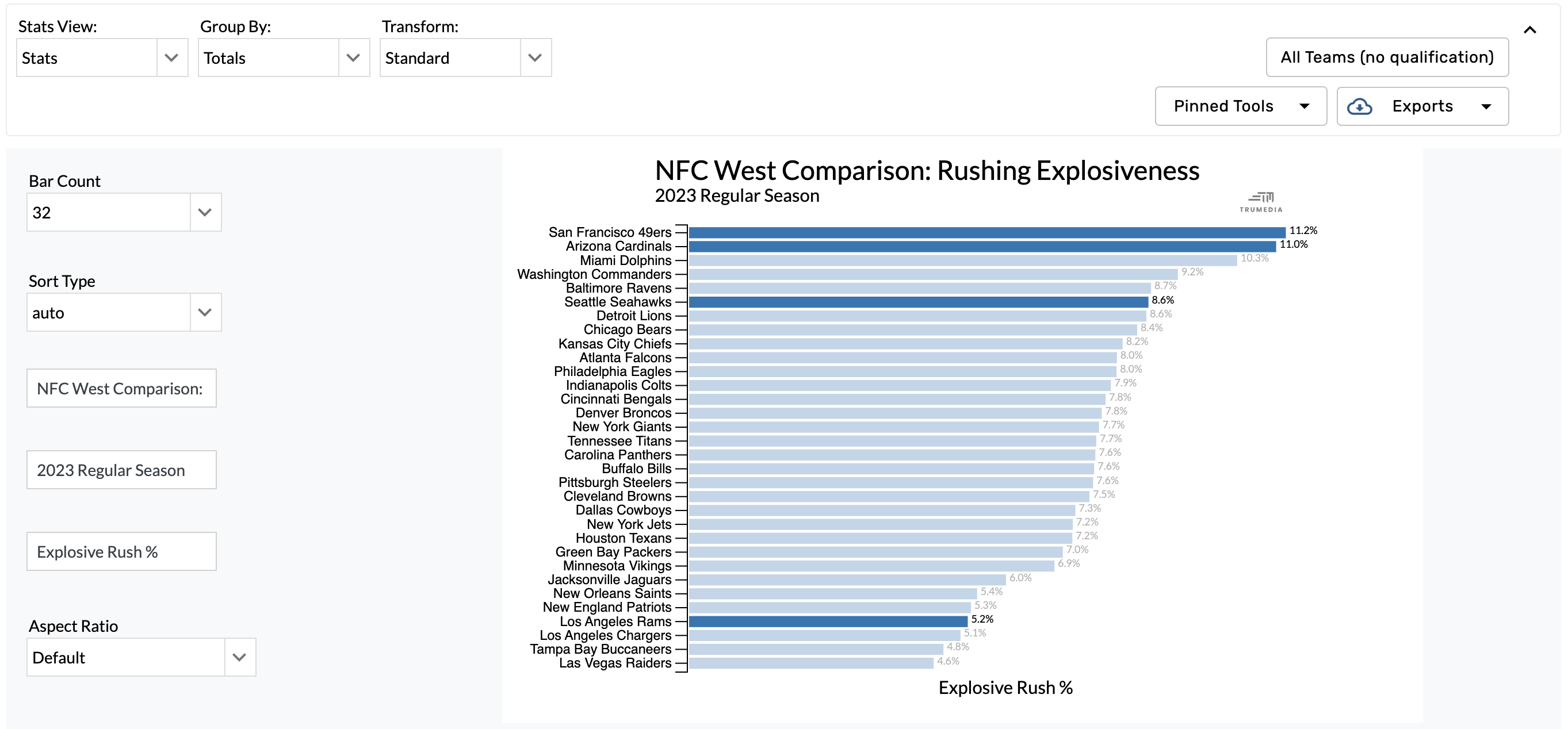
Bar Chart
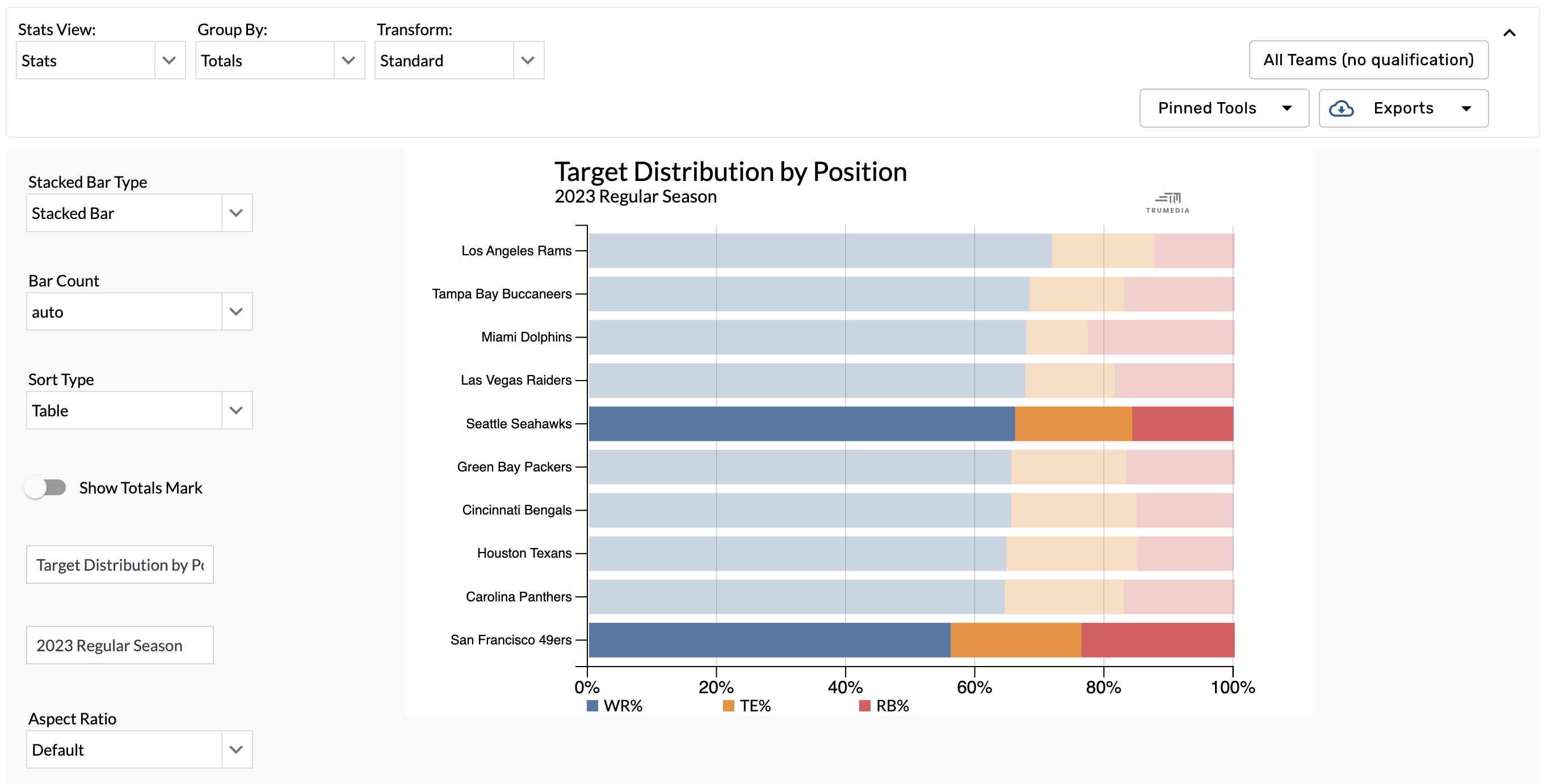
Stacked Bar Chart