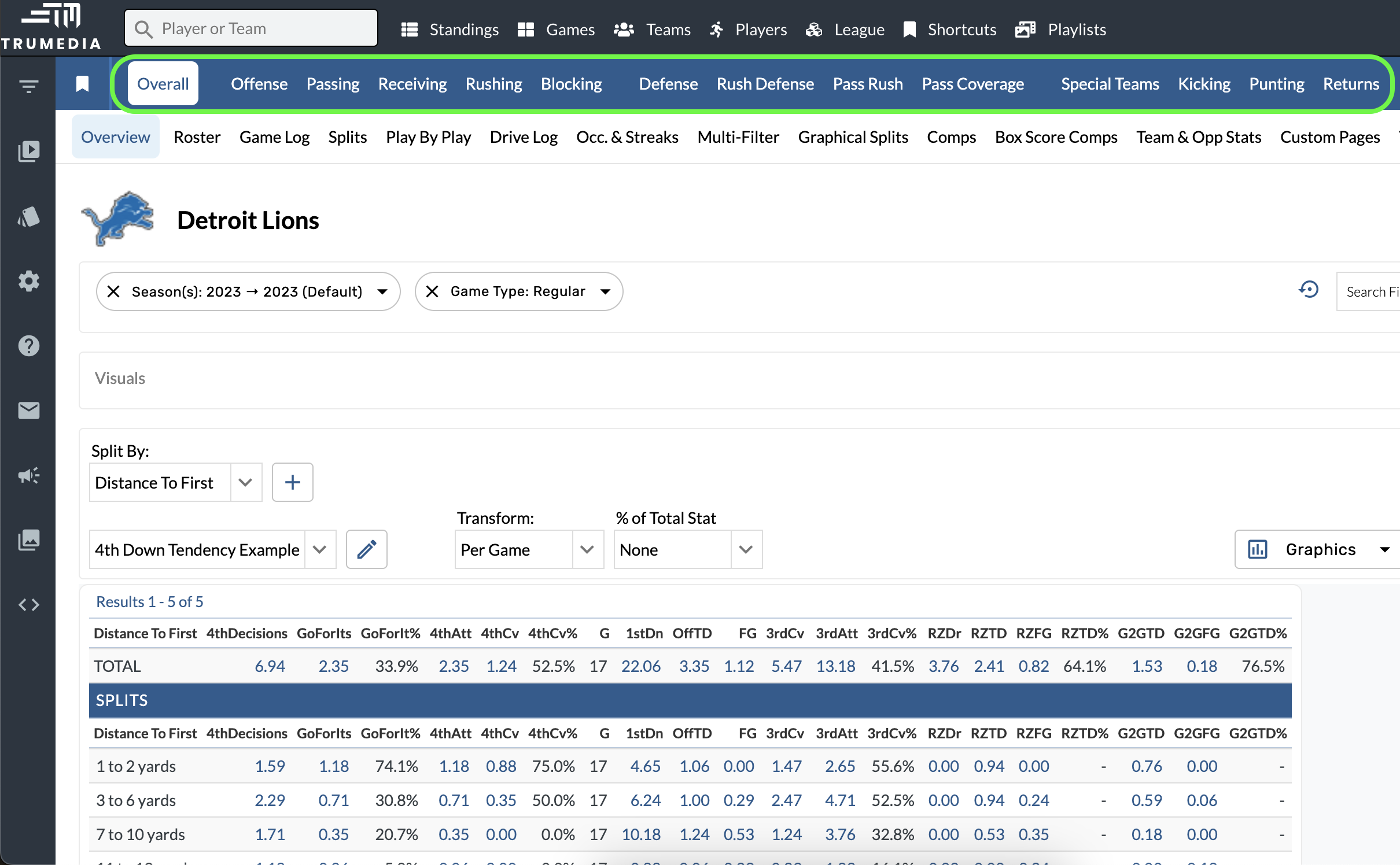
A simple way to think through scope is to browse through the blue navigation bar at the top of the screen. Each of these tabs is focused on one scope (receiving, rush defense, etc) of the game, and every stat and report on TruMedia is assigned a scope that determines where it is available on the site.
Edit the Scope of a Custom Report
-
Open the Custom Report Builder.
-
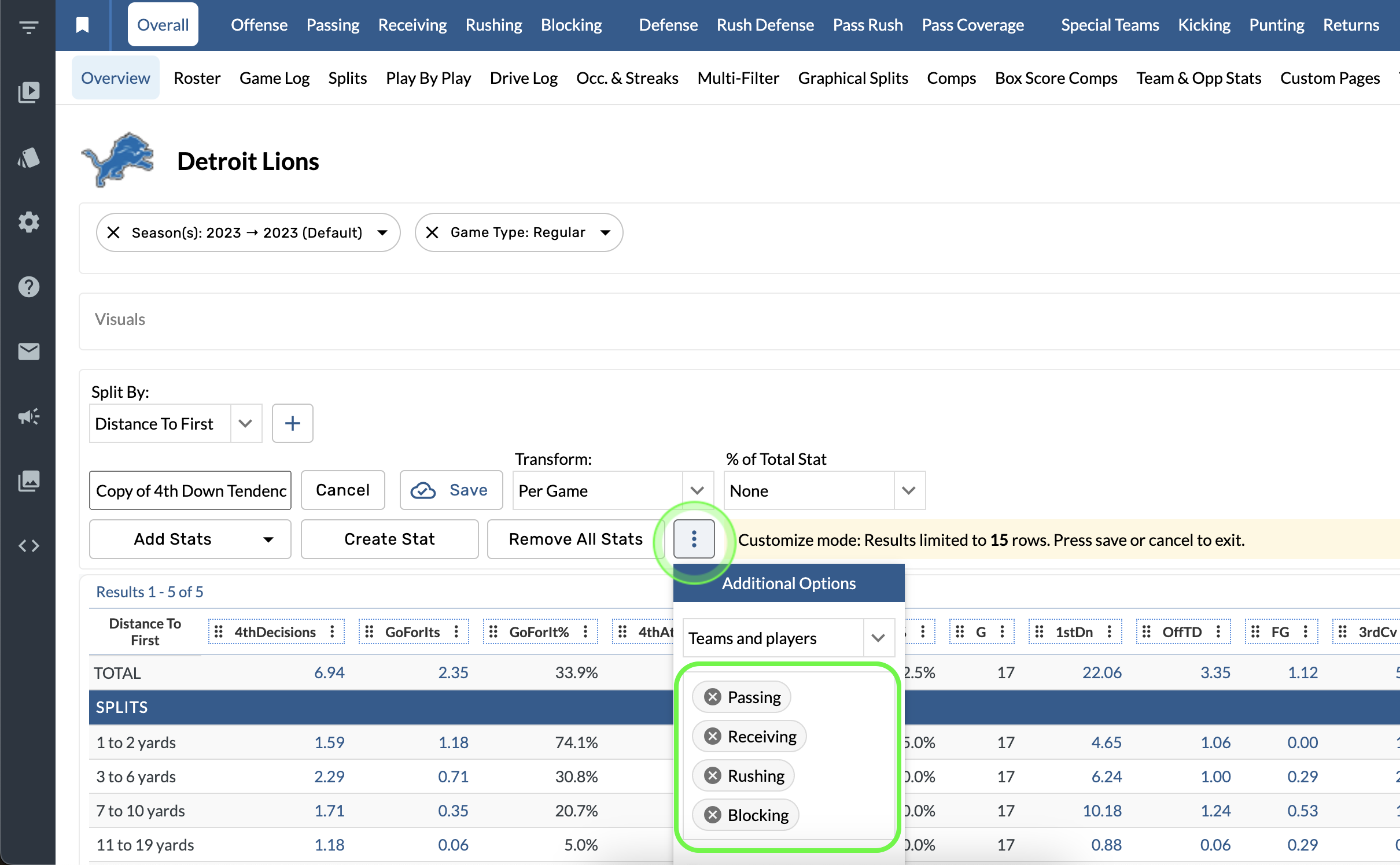
Select the Additional Options.
-
Choose a Scope from the menu.
If the scope of a report is set to Passing, it is only available to view on the Passing tab.
Edit the Scope of a Custom Stat
-
Open the Custom Report Builder.
-
Select the column options > Edit Stat.
-
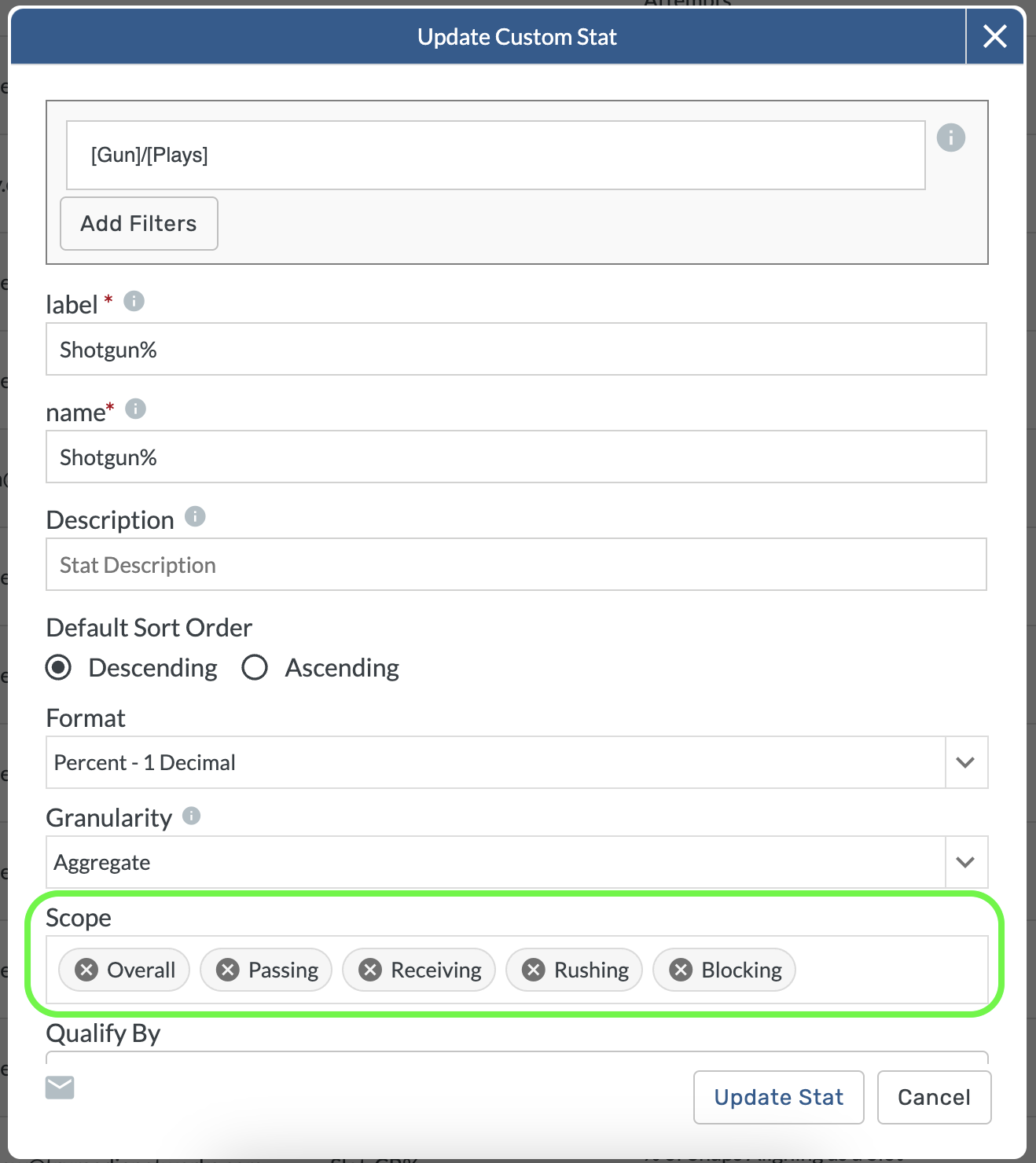
Choose a scope for the stat.
If the scope of a report is set to Receiving, it is only available to view on the Receiving tab.